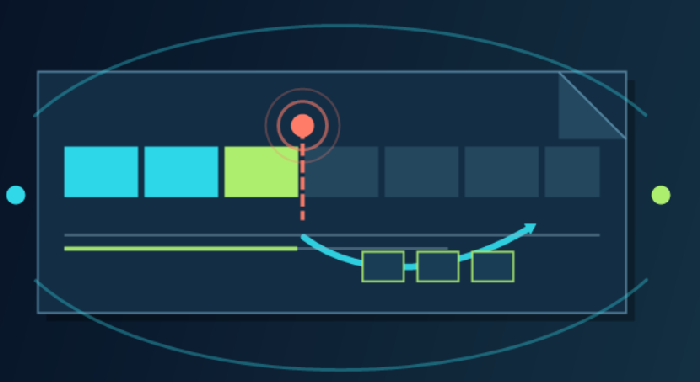
Resumable downloads over a CDN rely on HTTP range requests. After an interrupted transfer, the client can send Range: bytes=... to request only the missing portion of an installer, video, model, archive, or backup. A server or CDN that accepts the request normally answers with 206 Partial Content and uses Content-Range to identify the exact bytes returned.
However, an Accept-Ranges: bytes header alone does not guarantee reliable resume behavior. The origin must return stable bytes, old and new file versions must not be mixed, CloudFront must process and cache ranges as expected, and the delivery path must handle compression, parallel segments, signed URLs, and invalid offsets correctly.
Which HTTP headers and status codes matter?
| Item | Purpose | Example |
|---|---|---|
Range | Requests one or more byte ranges. | Range: bytes=1048576- |
Accept-Ranges | Advertises supported range units; bytes indicates byte-range support. | Accept-Ranges: bytes |
206 Partial Content | Confirms that the requested part was returned successfully. | HTTP status 206 |
Content-Range | Identifies the returned positions and the complete object length. | bytes 1048576-2097151/5242880 |
416 Range Not Satisfiable | Indicates that the requested range cannot be served, often because its starting offset is beyond the object. | Content-Range: bytes */5242880 |
If-Range | Returns a range only if the object still matches the validator; otherwise, it returns the complete current representation. | A strong ETag or HTTP date |
ETag / Last-Modified | Helps the client verify the object version and avoid combining bytes from different releases. | ETag: "version-abc" |
Accept-Ranges is a capability hint, not a guarantee. RFC 9110 permits a client to try a range request even when that header was not advertised. Conversely, seeing the header does not prove that every future request will return 206.How does a single-range request work?
Suppose a 5,242,880-byte file is interrupted after the first 1 MiB. The client can continue at the next byte:
GET /downloads/app.bin HTTP/1.1
Host: download.example.com
Range: bytes=1048576-
A typical successful response is:
HTTP/1.1 206 Partial Content
Accept-Ranges: bytes
Content-Range: bytes 1048576-5242879/5242880
Content-Length: 4194304
Content-Type: application/octet-stream
ETag: "app-v7"
Byte positions are inclusive, so bytes=0-1023 asks for 1,024 bytes. Common forms include:
bytes=0-1048575: the first 1 MiB.bytes=1048576-: everything from byte 1,048,576 to the end.bytes=-1048576: the final 1 MiB.
Why should resume downloads use ETag or Last-Modified?
If an origin overwrites a file at the same URL while a download is in progress, a client may accidentally append the second half of the new file to the first half of the old one. A robust downloader stores a strong ETag and sends it with If-Range when resuming:
GET /downloads/app.bin HTTP/1.1
Range: bytes=1048576-
If-Range: "app-v7"
If the object is still "app-v7", the server can return 206. If the validator no longer matches, it should ignore the range and return 200 OK with the complete new version, allowing the client to restart safely. A weak ETag is unsuitable for If-Range because it does not guarantee byte-level identity.
An even simpler publishing strategy is to use immutable, versioned URLs such as /downloads/app-7.3.1.bin and keep old releases available for a reasonable period. This improves both cache reuse and resume reliability.
How does CloudFront process Range GET requests?
When CloudFront receives a Range GET, it first checks the edge cache:
If the full object or the required portion is cached, CloudFront can serve the requested range directly.
If it is missing, CloudFront forwards the request to the origin and may request a larger range than the viewer asked for to improve efficiency.
If the origin supports ranges, CloudFront delivers the relevant bytes and can cache the object portion.
If the origin ignores the range and returns the full object, CloudFront may send and cache the complete object; later range requests can be satisfied from that cached representation.
AWS also documents an important exception: when a viewer sends a Range GET but the origin responds with Transfer-Encoding: chunked, CloudFront returns the complete object rather than the requested range. Large-file origins should therefore provide a stable Content-Length, and operators should verify that no proxy in the path converts the response to chunked transfer encoding.
CloudFront requirements for multiple ranges
For a multi-range request, CloudFront requires ranges to be listed in ascending order, without overlap, and with every range valid. Otherwise, it may return 200 with the complete object instead of 206.
# Valid: ascending and non-overlapping
Range: bytes=0-999,2000-2999

# Not valid for CloudFront: reversed order
Range: bytes=2000-2999,0-999

# Not valid: overlapping ranges
Range: bytes=0-1999,1000-2999
Download managers often find several controlled, parallel single-range requests easier to implement and test than one multipart range response. Concurrency still needs a limit so that connection count, origin requests, and retries do not grow without control.
What about files above CloudFront's cacheable object limit?
According to current AWS documentation, when caching is enabled, CloudFront does not retrieve and cache a complete object larger than 50 GB. With caching disabled it can pass through a larger object, but it does not cache it. A client can download a larger file through multiple range requests, each below 50 GB, allowing CloudFront to cache the individual parts.
This is not a reason to make every segment nearly 50 GB. Segment size should reflect retry cost, user network quality, origin throughput, edge reuse, concurrency limits, and client resources. Software downloaders and media players normally use much smaller ranges.
Why can compression conflict with range requests?
A byte range applies to the bytes of the selected representation. If an object is delivered with Gzip or Brotli encoding, offsets refer to the compressed representation rather than the original uncompressed file. CloudFront likewise evaluates ranges for a compressed object against its compressed size.
ZIP, MP4, ISO, installers, and many other binary downloads are already compressed or unsuitable for automatic CDN compression. Keep their content encoding stable, and do not allow the same resumable URL to switch unpredictably between encoded and unencoded variants.
Check whether dynamic compression was mistakenly enabled for binary downloads.
Keep
Content-Encoding,Content-Length, andETagconsistent with the delivered representation.If encoded and unencoded variants exist, ensure the cache key distinguishes
Accept-Encodingcorrectly.Do not assume that matching file extensions imply identical bytes.
Recommended CDN configuration for large downloads
Use versioned URLs. Publish a new path for every release instead of replacing an object that users may still be downloading.
Return a stable length. Send an accurate
Content-Lengthand prevent chunked origin responses from defeating Range GET behavior.Keep validators consistent. Full and partial responses for one object version should use the same strong ETag.
Set a suitable TTL. Immutable files can use longer browser and CDN caching; overwriteable files require a more conservative policy.
Control the cache key. Do not fragment one file into many cache entries through irrelevant cookies, headers, or query parameters.
Protect the origin. Prevent direct origin downloads and keep irrelevant signed-URL parameters out of the cache key where the product design permits it.
Limit concurrency. Set sensible segment sizes, maximum parallel requests, and retry backoff in the downloader.
Verify integrity. Publish a SHA-256 or similar checksum and validate the complete file after all parts are assembled.
How to test resumable downloads with curl
1. Inspect the basic headers
curl -I https://download.example.com/files/app.bin
Check Content-Length, ETag, Last-Modified, Accept-Ranges, Content-Encoding, and the CDN cache status.
2. Request the first 1,024 bytes
curl -sS -D headers.txt \
  -H "Range: bytes=0-1023" \
  -o part-000.bin \
  https://download.example.com/files/app.bin
Expect 206 Partial Content, Content-Range: bytes 0-1023/total-length, and Content-Length: 1024.
3. Test a resume with If-Range
curl -sS -D headers.txt \
  -H "Range: bytes=1048576-" \
  -H 'If-Range: "app-v7"' \
  -o remainder.bin \
  https://download.example.com/files/app.bin
A matching ETag should produce the remaining range. A mismatch should produce a 200 response containing the complete current object. A downloader must handle both outcomes and must never append a complete 200 response to an old partial file.
4. Request an out-of-bounds range
curl -sS -D - \
  -H "Range: bytes=999999999999-" \
  -o NUL \
  https://download.example.com/files/app.bin
On Windows, NUL discards the response body. The expected result is normally 416 Range Not Satisfiable with Content-Range: bytes */total-length.
What should you monitor in production?
| Metric | What an anomaly may indicate |
|---|---|
| Ratio of 200 to 206 responses | Range requests are degrading to complete downloads, or clients are not using ranges correctly. |
| Number of 416 responses | Stored offsets are stale, files were replaced, or range calculations are wrong. |
| Cache hit ratio | Query strings, signed parameters, cookies, or segmentation are fragmenting the cache. |
| Requests per completed download | Segments are too small, concurrency is excessive, or retries are uncontrolled. |
| Origin egress | Edges cannot reuse segments, TTLs are too short, or ranges are not cached effectively. |
| Checksum failures | Mixed versions, inconsistent origin objects, proxy rewriting, or client assembly errors. |
Logs should correlate the object version, requested range, returned range, status code, cache result, and origin latency. Avoid logging signed tokens or sensitive user parameters; redact credentials in the log pipeline and restrict log access.
Common mistakes
Assuming Accept-Ranges guarantees resume support
Send a real range request and verify the status, returned bytes, and Content-Range. A CDN, reverse proxy, or origin setting can still turn the request into a complete response.
Appending both 200 and 206 responses to a partial file
A 206 response can be written at the correct offset. A 200 response usually represents the complete object and should replace the temporary file or trigger a restart. Blindly appending it produces a corrupted file.
Assuming more segments always mean more speed
Excessive parallelism increases connections, TLS work, request volume, origin load, and retry amplification. Test segment size and concurrency on real networks rather than maximizing them by default.
Overwriting the same URL during active downloads
Old and new segments can be combined. Versioned URLs, a strong ETag, If-Range, and a final checksum work together to reduce that risk.
Using signed URLs that expire too early
A resumed Range request may occur after the original URL expires. The validity period should cover a reasonable download window without leaving private content accessible indefinitely.
Frequently asked questions
Does CloudFront cache 206 responses?
CloudFront can process and cache the object portions needed for Range GET requests, and it may request a larger range from the origin as an optimization. Verify actual behavior with response headers, CloudFront logs, and repeated-request tests.
Can CloudFront compensate when the origin does not support Range?
If the origin returns the complete object, CloudFront can deliver and cache it, then answer later range requests from the complete cached representation. The first request may still receive the whole file, so native origin range support is preferable for large-download workloads.
Why do I still receive 200 after sending Range?
Possible causes include an origin that ignores ranges, an invalid request, multi-range ordering or overlap that does not meet CloudFront requirements, a failed If-Range validator, or an intermediary that chooses the complete representation. Trace the response from the edge back to the origin.
Can Range requests support video seeking?
Yes. Media players commonly use byte ranges to seek within a file, although the media container's metadata layout also affects startup and seeking speed. Dedicated streaming may use HLS or DASH segments instead of relying only on one large file.
How large should each download segment be?
There is no universal value. Test against file size, user networks, failure rate, concurrency, request cost, cache reuse, and client capability. Set practical minimum and maximum sizes and allow controlled adaptation.
Conclusion
Reliable CDN resume downloads depend on correct HTTP range semantics: the client sends valid ranges, the server or CloudFront returns an accurate 206 response and Content-Range, and a strong ETag, If-Range, or versioned URL ensures that every part belongs to the same object version.
With CloudFront, also test origin range support, Content-Length, chunked responses, compression variants, multi-range rules, and the large-object cache limit. Finally, validate the complete workflow with a real downloader, curl, edge logs, and a file checksum. Resume support is only dependable when interrupted transfers recover safely, cached segments remain reusable, and the completed file passes integrity verification.
References
AWS: How CloudFront processes partial requests for an object (Range GETs), reviewed August 14, 2026
AWS: Serve compressed files, reviewed August 14, 2026
IETF RFC 9110: HTTP Semantics, reviewed August 14, 2026
MDN: HTTP range requests, reviewed August 14, 2026
MDN: If-Range header, reviewed August 14, 2026