Cloud Server Package Management: Don't Let Outdated Software Become an Entry Point
Last year, a client's server was compromised. The investigation traced back to a single cause: an outdated OpenSSL version with a known vulnerability. The attacker used that vulnerability to escalate privileges and gain full control.
Their response: "I installed the software and never touched it again. I didn't know I needed to update."
That's one of the most common and costly mistakes in server administration.
The core truth: outdated software is one of the primary entry points for attackers. Security updates are not optional — they're the first line of defence.
01 update vs upgrade: One Command Updates the List. The Other Updates the System
When I ask admins how they update their servers, a lot of them say "I run apt update regularly." That's a problem.
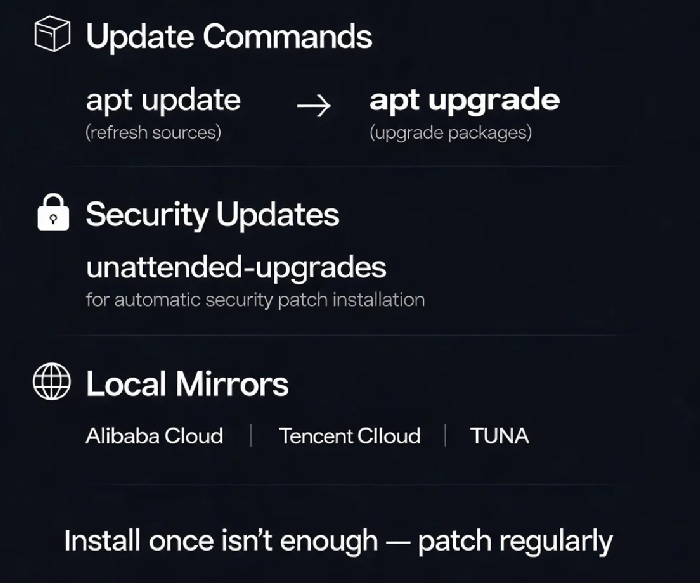
apt update: downloads package metadata from configured sources. It tells your system what's available, but does not install or upgrade anything.apt upgrade: actually installs newer versions of installed packages. This is what actually applies updates.
The commands are separate because upgrading all packages isn't always the right move — sometimes you only want to upgrade one package, and sometimes you want to see what's available before deciding.
The standard flow is always the same: sudo apt update && sudo apt upgrade .
02 Security Updates Need a Strategy
For production systems, a "shoot first and ask questions later" approach to updates is a recipe for downtime. A structured update process reduces risk. Microsoft's patch management guidance outlines four stages :
Discover and assess: continuously inventory all systems and evaluate their update status. Automated, regular assessments ensure vulnerabilities are caught quickly after disclosure.
Prioritise: not all patches are equal. Use CVSS scores and exploitability data to decide what to apply first.
Deploy: roll out through controlled windows with staged releases and rollback plans.
Validate: confirm success, test system functionality after patching, and maintain audit logs for compliance.
03 Automating Security Updates
If you have to remember to check for security updates every week, you will forget. Automated security updates close the gap between a patch being released and it being applied .
On Ubuntu/Debian, unattended-upgrades handles this automatically :
bash
sudo apt install unattended-upgradessudo dpkg-reconfigure --priority=low unattended-upgrades
After enabling it, only security updates are installed automatically. This ensures known vulnerabilities are patched without manual intervention. The default configuration in /etc/apt/apt.conf.d/50unattended-upgrades can be customised, including blacklisting specific packages from being upgraded automatically .
04 What About Other Package Managers?
CentOS/RHEL:
yum updateordnf upgradeSUSE:
zypper upArch:
pacman -Syu
The principle is the same: refresh the package list, then upgrade. The names just differ .
The Bottom Line
The client who got hit by the OpenSSL vulnerability eventually got their act together — regular update cycles, security-only automation, and test-first for major upgrades. They got lucky that time. Many don't.
Package management is a basic server administration skill. Make it part of your operations rhythm, not something you do when you remember. When was the last time you updated your servers?