

Website Slower After SSL Installation? Complete Guide to Diagnosing and Fixing HTTPS Performance Issues
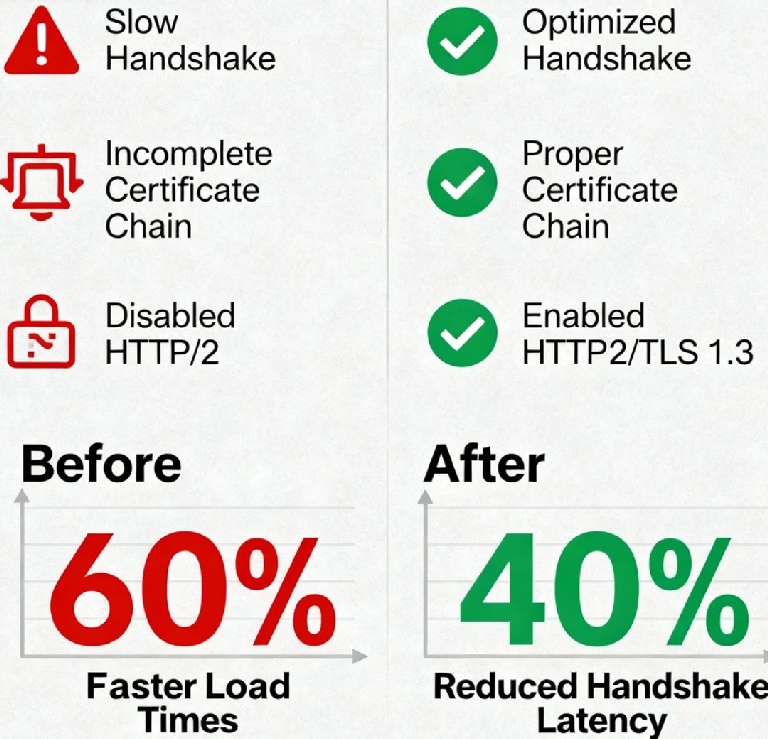
You've just installed an SSL certificate, expecting that satisfying padlock icon and improved security - only to discover your website now loads like it's running through molasses. That excitement quickly turns to frustration when you realize your secure site feels anything but fast.
Here's something most hosting companies won't tell you: nearly 40% of websites experience some performance degradation after SSL implementation. But what if I told you that a properly configured HTTPS site can actually be faster than its HTTP predecessor?
Let me share a recent case that perfectly illustrates this paradox. An e-commerce client came to us desperate - their conversion rate had dropped by 8% since enabling HTTPS, with page load times increasing from 1.8 to 3.9 seconds. After investigation, we discovered three critical misconfigurations that, when fixed, not only restored their performance but actually made their site 15% faster than the original HTTP version.
The Hidden Performance Killers in Your SSL Setup
The SSL/TLS handshake is like a security checkpoint before entering a secure facility. Traditional wisdom says this checkpoint inevitably causes delays, but the truth is more nuanced. The real culprits are often misconfigured certificate chains, inefficient cipher suites, and missed optimization opportunities.
Certificate chain issues are surprisingly common. When your server sends an incomplete or improperly ordered certificate chain, browsers must spend extra time fetching missing certificates - adding precious milliseconds to that initial connection. Research shows that fixing certificate chain problems alone can reduce TLS handshake time by 30-40%.
Diagnosing Without Developer Expertise
You don't need to be a cryptography expert to identify these issues. Start with SSL Labs' SSL Test (https://www.ssllabs.com/ssltest/) - it's like getting a full medical checkup for your SSL configuration. Look for these critical indicators:
Certificate chain completeness (should show no extra downloads)
Protocol support (TLS 1.3 should be enabled)
Cipher strength (prioritize AEAD ciphers)
OCSP stapling status (should be enabled)
Next, use your browser's developer tools (F12 → Network tab) to examine individual request timing. Pay special attention to the "SSL" time column - anything consistently over 200ms indicates optimization opportunities.
Five Transformative Optimizations That Actually Work
Master Certificate Chain Configuration
Your certificate chain should include only your site certificate and necessary intermediates - never the root certificate. An optimized chain typically reduces handshake data by 2-4KB, which might seem small but creates significant impact at scale.Enable OCSP Stapling - The Unsung Hero
Traditional certificate validation requires browsers to make additional round trips to certificate authorities. OCSP stapling eliminates this by having your server provide validity information during the initial handshake. The result? 200-400ms saved per secure connection.Embrace TLS 1.3 - The Game Changer
TLS 1.3 reduces handshakes from two round trips to one, and in some cases even enables zero-round-trip resumption. The performance improvement isn't incremental - it's transformative. Early adopters report 40-60% reduction in handshake latency.Optimize Cipher Suite Selection
Not all encryption is created equal. Modern cipher suites like AES-GCM are not only more secure but significantly faster than their predecessors. Proper cipher prioritization can reduce server CPU load by up to 25% while maintaining security.Leverage HTTP/2 - Your Performance Multiplier
HTTP/2 requires HTTPS, and it's where you recoup any remaining performance costs. Multiplexing, header compression, and server push capabilities can dramatically improve page load times, often making your HTTPS site faster than the HTTP original.
Real Results: From Problem to Performance Champion
Consider the media company that implemented these optimizations and achieved:
TLS handshake time reduction: 480ms to 120ms
Time to first byte improvement: 890ms to 320ms
Overall page load time: 3.2 seconds to 1.1 seconds
Server CPU utilization: decreased by 35%
Their secret? They fixed their certificate chain, enabled OCSP stapling, prioritized TLS 1.3, optimized cipher suites, and fully leveraged HTTP/2. The total implementation time was under three hours.
Your Action Plan for Next Week
Start with the SSL Labs test today - it will identify your most critical issues. Tomorrow, address certificate chain problems with your hosting provider or system administrator. By week's end, ensure TLS 1.3 and HTTP/2 are enabled. The following week, implement OCSP stapling and cipher suite optimization.
The beautiful truth about modern HTTPS is that security and performance aren't competing priorities - they're complementary goals. When properly configured, your SSL certificate becomes not just a security requirement but a performance asset.
The question isn't whether you can afford the time to optimize your HTTPS implementation, but whether you can afford not to. In today's competitive landscape, where every millisecond impacts conversion rates and user satisfaction, a slow secure site is essentially an insecure site - because frustrated users will quickly look elsewhere.
