

Unlocking Your CDN's Full Potential: 5 Key Configurations for a Website Performance Leap
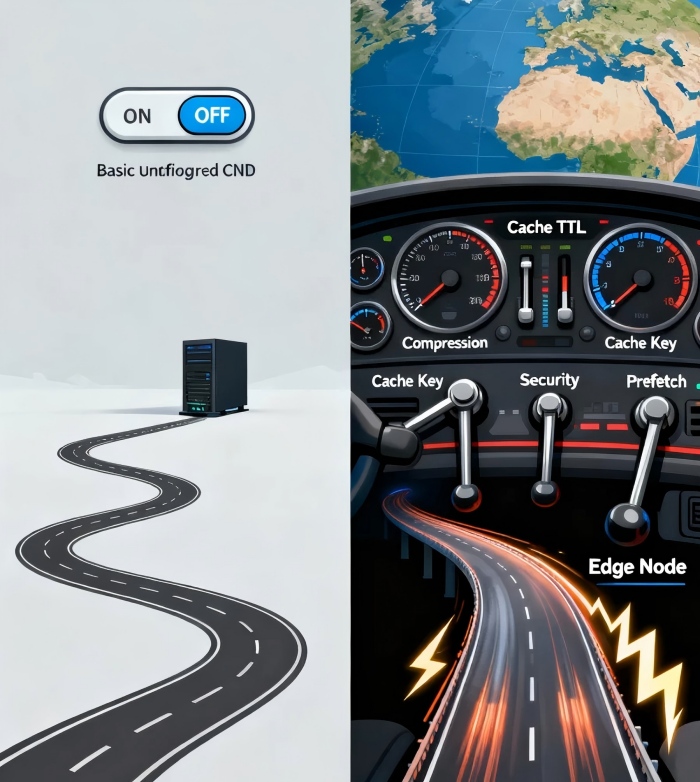
Let's be honest. You've likely signed up for a Content Delivery Network (CDN) expecting a magic speed boost, only to find your website's performance improvements... underwhelming. Here's an uncomfortable truth the industry rarely discusses: simply enabling a CDN does not guarantee performance gains. In fact, a poorly configured CDN can sometimes be slower than no CDN at all, due to added latency from misrouted requests and inefficient caching. Many teams treat their CDN as a "set it and forget it" service, leaving its vast potential locked away.
The real performance leap doesn't come from the CDN service itself, but from the strategic tuning of its knobs and levers. It's the difference between owning a high-performance sports car and knowing how to expertly shift its gears. This guide will walk you through the five essential configurations that transform your CDN from a passive pipeline into an active performance engine, unlocking staggering metrics like reducing page load times by over 50% and slashing origin server load by up to 95% .
1. Architect a Multi-Layer Caching Strategy: The Foundation of Speed
The core promise of a CDN is to serve content from the edge—a location close to your user. The efficiency of this process hinges on your cache hit ratio, the percentage of requests served from the edge cache versus those that must travel back to your origin server.
The Key Configuration: Do not apply a single, generic Time-To-Live (TTL) to all content. Instead, implement a granular, rules-based caching policy:
Long-lived Static Assets: For immutable resources like images, CSS, and JavaScript files with hashed filenames (e.g.,
main.abcd1234.css), set a TTL of one year or more (Cache-Control: public, max-age=31536000) . This is your highest-impact configuration.Semi-Static Content: For HTML pages, blog posts, or product listings that update periodically, set a TTL of minutes, hours, or days based on your update frequency.
Dynamic Content: For personalized API responses or user-specific data, use very short TTLs (seconds) or headers like
Cache-Control: private, no-cache. However, explore Edge Side Includes (ESI) to cache static portions of a page and dynamically assemble the personalized bits at the edge .
Pro Insight: Monitor your byte hit ratio, not just the request hit ratio. The byte hit ratio measures the volume of bandwidth saved, which directly correlates to cost reduction and origin offload. A low ratio indicates your caching strategy is failing, forcing large assets to be pulled from the origin repeatedly .
2. Deploy Intelligent Compression & Modern Protocols: Shrinking the Payload
Once content is correctly cached at the edge, the next bottleneck is the speed of the final mile between the CDN node and your user's device.
The Key Configuration: Activate a multi-pronged approach to data transfer efficiency:
Enable Brotli Compression: While Gzip is standard, Brotli is a superior algorithm that can reduce the size of text-based files (HTML, CSS, JS) by an additional 15-25% compared to Gzip . Ensure your CDN is configured to serve Brotli to supporting browsers.
Enforce HTTP/2 or HTTP/3 (QUIC): HTTP/2 allows multiple requests over a single connection, eliminating head-of-line blocking. The newer QUIC protocol, built on UDP, offers significant performance improvements in unstable network conditions by reducing connection establishment latency to zero-round-trip in many cases . Forcing your site onto these protocols is a game-changer for perceived load times.
The Counter-Intuitive View: Compression costs CPU cycles. The advanced insight is to use tiered compression: apply the strongest Brotli compression to large, core assets, while using faster, lighter compression for smaller, less-critical files to balance speed of delivery with computational overhead.
3. Master Cache Keys & URL Parameter Control: Ending Cache Fragmentation
This is one of the most common and devastating performance killers. Consider a single image accessed via these URLs:
https://example.com/product.jpghttps://example.com/product.jpg?utm_source=newsletterhttps://example.com/product.jpg?v=2.1
To a default CDN configuration, these are three different resources, creating three separate cache entries. This "cache fragmentation" destroys your hit rate and floods your origin with redundant requests .
The Key Configuration: Access your CDN settings and find the "Ignore URL Query String" or "Cache Key" settings. For resources where parameters do not change the content (like tracking utm_ parameters or version tags), configure the CDN to ignore them. This ensures all variations point to one cached resource.
Pro Insight: For advanced use cases, you can craft custom cache keys. You might choose to include a specific parameter (like ?product_id=123) while ignoring all others, giving you precise control over what constitutes a unique cacheable object .
4. Implement Proactive Cache Warm-up & Instant Purging: Predict & Control
A cold cache is a slow cache. When you deploy a new version of your site or publish a hot new product, the first global users will "pay" the latency penalty of a cache miss as the CDN fetches content from your origin.
The Key Configuration:
Cache Warm-up (Prefetch): Before a major launch or marketing campaign, use your CDN's API or console to proactively "push" or "prefetch" critical assets to edge nodes worldwide . This ensures the first user in any region gets a cache-hit experience. Studies show this can improve peak-time response times by over 60% for launch events.
Instant Purging: When you update a product price or fix a typo, you cannot wait hours for cache TTLs to expire. Use instant purge to immediately invalidate cached content for specific URLs, directories, or even your entire site. The next request will fetch the fresh content from your origin and re-cache it.
5. Integrate Security & Cost Controls: The Strategic Safety Net
A high-performance site is also a secure and predictably priced one. Your CDN should be your first line of defense, not just an accelerator.
The Key Configuration:
Activate Web Application Firewall (WAF) & DDoS Protection: Modern CDNs integrate these services at the edge. A WAF filters out malicious traffic (like SQL injection attempts) before it reaches your origin, while DDoS mitigation absorbs attack traffic. This protects your performance from being degraded by malicious actors .
Set Up Bandwidth/Request Alerts and Caps: Traffic spikes can be legitimate (a viral post) or malicious (a bot attack). Configure alerts for unusual traffic patterns and set hard bandwidth or request caps to prevent "bill shock" from an unexpected surge, giving you time to respond without financial catastrophe .
Beyond Configuration: Shifting from Tool to Strategic Asset
Mastering these five configurations moves your CDN from a commoditized tool to a core strategic asset. The goal is not just to make pages load faster, but to create a resilient, scalable, and cost-efficient delivery architecture. You begin to think in terms of global performance consistency, not just average speed.
True CDN mastery is evident when your origin servers sit idle during traffic spikes, smiling as 90%+ of requests are resolved seamlessly at the edge . It's measured in the confidence of launching global campaigns without fearing site meltdowns, and in the direct business impact of lower bounce rates and higher conversion rates that come from a flawless user experience.
Start with your cache policies today. Audit your TTLs, enable Brotli, and scrutinize your URL parameters. Each adjustment is a step toward unlocking the full potential of the infrastructure you're already paying for, turning your CDN into the performance engine it was always meant to be.
